

NAME
nup - N-up multi-column paged output for commands and files
SYNOPSIS
nup [ options ] file ...
nup -e [ options ] command ...

 -h  --help             show help
     --version          show version
 -d  --debug            debug mode
 -n  --dryrun           dry-run mode
 -e  --exec             execute command mode
     --alias=CMD=OPTS   set command alias
 -V  --parallel         parallel view mode
 -D  --document         document mode (default: on)
 -F  --fold             fold mode (disable page mode)
 -H  --filename         show filename headers (default: on)
 -G  --grid=#           grid layout (e.g., 2x3)
 -C  --pane=#           number of columns
 -R  --row=#            number of rows
 -P  --page=#           page height in lines
 -S  --pane-width=#     pane width (default: 85)
--bs --border-style=#   border style (default: heavy-box)
--ls --line-style=#     line style (none/truncate/wrap/wordwrap)
--cm --colormap=#       color mapping (LABEL=COLOR)
     --pager=#          pager command (empty to disable)
     --no-pager         disable pager
     --white-board      black on white board
     --black-board      white on black board
     --green-board      white on green board
     --slate-board      white on dark slate board
VERSION
Version 0.9905
DESCRIPTION
nup is a simple wrapper script for optex -Mup. It provides a
convenient way to view files or run commands with N-up output
formatting using the App::optex::up module.
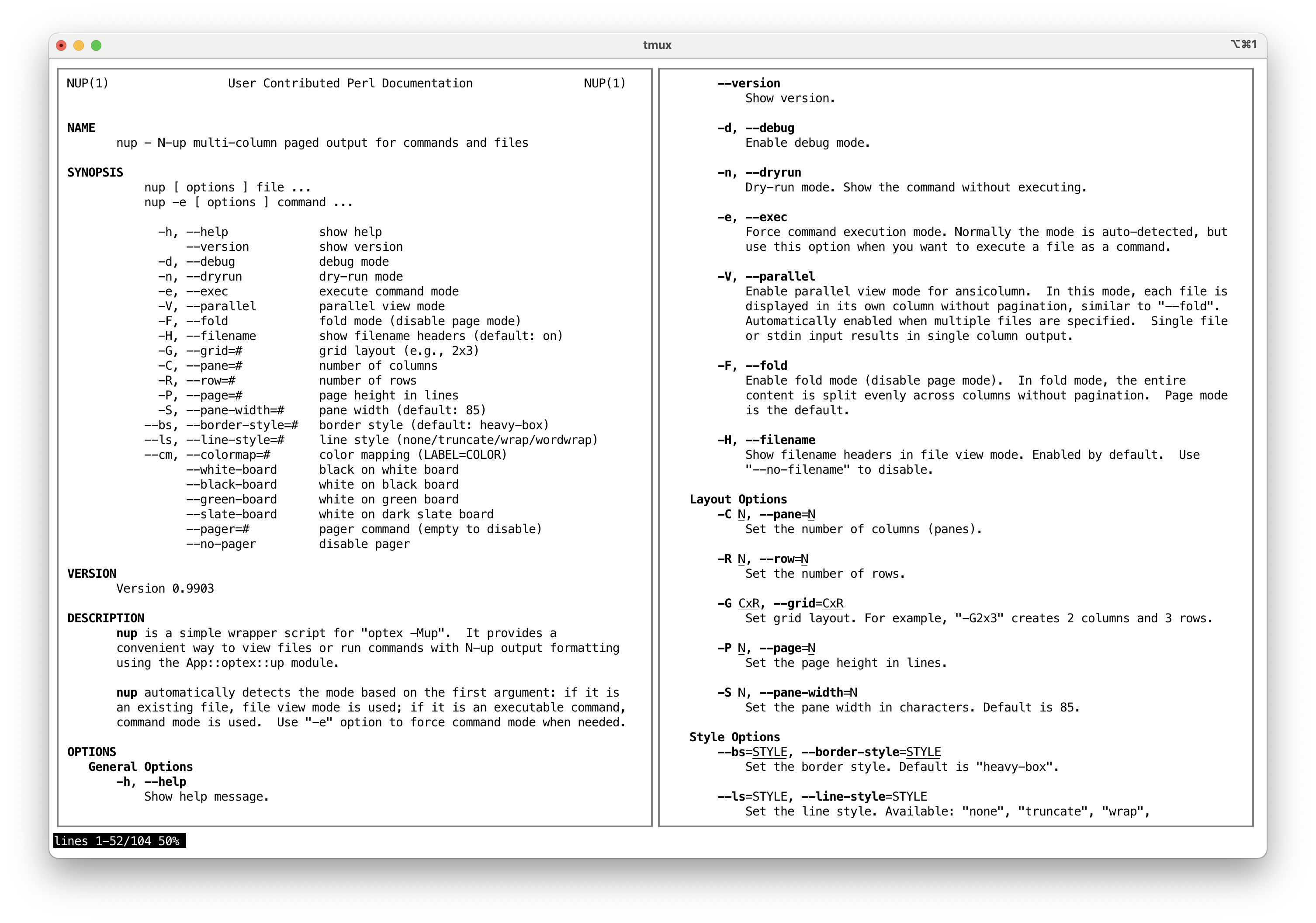
nup automatically detects the mode based on the first argument:
if it is an existing file, file view mode is used; if it is an
executable command, command mode is used. Use -e option to
force command mode when needed.
OPTIONS
General Options
-
-h, --help
Show help message.
-
--version
Show version.
-
-d, --debug
Enable debug mode.
-
-n, --dryrun
Dry-run mode. Show the command without executing.
-
-e, --exec
Force command execution mode. Normally the mode is auto-detected, but use this option when you want to execute a file as a command.
-
--alias=NAME=CMD OPTS...
Define command alias. When a command matches NAME, it is replaced by CMD with specified OPTS. This can be used to add default options or to substitute a different command. Multiple
--aliasoptions can be specified.Default aliases:
  bat     bat --style=plain --color=always
  batcat  batcat --style=plain --color=always
  rg      rg --color=always
  tree    tree -C
Example:
nup --alias='grep=ggrep --color=always' grep pattern file -
-V, --parallel
Enable parallel view mode for ansicolumn. In this mode, each file is displayed in its own column without pagination, similar to
--fold. Automatically enabled when multiple files are specified. Single file or stdin input results in single column output. -
-D, --document
Enable document mode for ansicolumn. This mode is optimized for viewing documents with page-based layout. Enabled by default. Use
--no-documentto disable. -
-F, --fold
Enable fold mode (disable page mode). In fold mode, the entire content is split evenly across columns without pagination. Page mode is the default.
-
-H, --filename
Show filename headers in file view mode. Enabled by default. Use
--no-filenameto disable.
Layout Options
-
-C N, --pane=N
Set the number of columns (panes).
-
-R N, --row=N
Set the number of rows.
-
-G CxR, --grid=CxR
Set grid layout. For example,
-G2x3creates 2 columns and 3 rows. -
-P N, --page=N
Set the page height in lines.
-
-S N, --pane-width=N
Set the pane width in characters. Default is 85.
Style Options
-
--bs=STYLE, --border-style=STYLE
Set the border style. Default is
heavy-box. -
--ls=STYLE, --line-style=STYLE
Set the line style. Available:
none,truncate,wrap,wordwrap. -
--cm=SPEC, --colormap=SPEC
Set color mapping. Specify as
LABEL=COLOR(e.g.,--cm=BORDER=R). Available labels:TEXT,BORDER. -
--white-board, --black-board, --green-board, --slate-board
Predefined color schemes for board-style display.
Pager Options
-
--pager=COMMAND
Set the pager command. Default is
NUP_PAGERorless -F +Gg. ThePAGERvariable is not used to avoid an infinite loop whenPAGERis set tonup. Use--pager=(empty) or--no-pagerto disable pager. -
--no-pager
Disable pager.
EXAMPLES
nup man nup                # view manual in multi-column
nup -C2 man perl           # 2 columns
nup -G2x2 man perl         # 2x2 grid (4-up)
nup -F man perl            # fold mode (no pagination)
nup file1.txt file2.txt    # view files side by side
nup -e ./script.sh         # force command mode for a file
INSTALLATION
Using cpanminus:
cpanm -n App::nup
DIAGNOSTICS
Both stdout and stderr of the command are merged and passed through the output filter. Error messages will appear in the paged output.
EXIT STATUS
The exit status of the executed command is not preserved because the output is passed through a filter pipeline.
SEE ALSO
AUTHOR
Kazumasa Utashiro
LICENSE
Copyright 2025 Kazumasa Utashiro.
This software is released under the MIT License. https://opensource.org/licenses/MIT