NAME
up - optex module for multi-column paged output
SYNOPSIS
optex -Mup command ...

optex -Mup -C2 -- command ...

optex -Mup -G2x2 -- command ...
DESCRIPTION
up is a module for the optex command that pipes the output through App::ansicolumn for multi-column formatting and a pager. The name comes from the printing term "n-up" (2-up, 3-up, etc.) which refers to printing multiple pages on a single sheet.
The module automatically calculates the number of columns based on the terminal width divided by the pane width (default 85 characters).
Both stdout and stderr are merged and passed through the filter, so error messages are also displayed in the multi-column paged output.
The pager command is taken from the NUP_PAGER environment variable if set, otherwise defaults to less -F +Gg. When page mode is active, the NUP_PAGE_PAGER environment variable is consulted first. The environment variables are named after the nup command, a wrapper for this module. The PAGER variable is not used to avoid an infinite loop when PAGER is set to nup. Use the --pager option to specify a different pager on the command line.
The -F option causes less to exit immediately if the output fits on one screen. +Gg causes less to read all input before displaying, which may take time for large output, but prevents empty trailing pages from being shown.
OPTIONS
Module options must be specified before -- separator.
- -C N, --pane=N
-
Set the number of columns (panes) directly.
- -R N, --row=N
-
Set the number of rows. The page height is calculated by dividing the terminal height by this value.
- -G CxR, --grid=CxR
-
Set the grid layout. For example,
--grid=2x3or--grid=2,3creates a 2-column, 3-row layout (6-up). This is equivalent to-C2 -R3. - -S N, --pane-width=N
-
Set the pane width in characters. Default is 85. When --pane is not specified, the number of panes is calculated by dividing the terminal width by this value.
- --bs=STYLE, --border-style=STYLE
-
Set the border style for ansicolumn. Default is
heavy-box. See App::ansicolumn for available styles. - --no-paginate
-
Disable page mode. Without pagination, the entire content is split evenly across columns. Page mode is the default.
Note that App::ansicolumn uses parallel layout when multiple files are given, which has no page structure. Specify this option in such cases so that
NUP_PAGE_PAGERis not used (the nup command does this automatically). - -A, --auto-paginate
-
Automatically disable page mode when only one column fits the terminal.
- --pager=COMMAND
-
Set the pager command, overriding the environment variables. Default is
NUP_PAGE_PAGER(page mode only),NUP_PAGER, orless -F +Gg. - --no-pager
-
Disable pager. Output goes directly to stdout.
- Other options
-
Any unrecognized options are passed through to App::ansicolumn. For example,
--cmoption can be used to set colormap:optex -Mup --cm=BORDER=R -- commandSee App::ansicolumn for available options.
EXAMPLES
Display perldoc output in multiple columns:
optex -Mup perldoc App::optex::up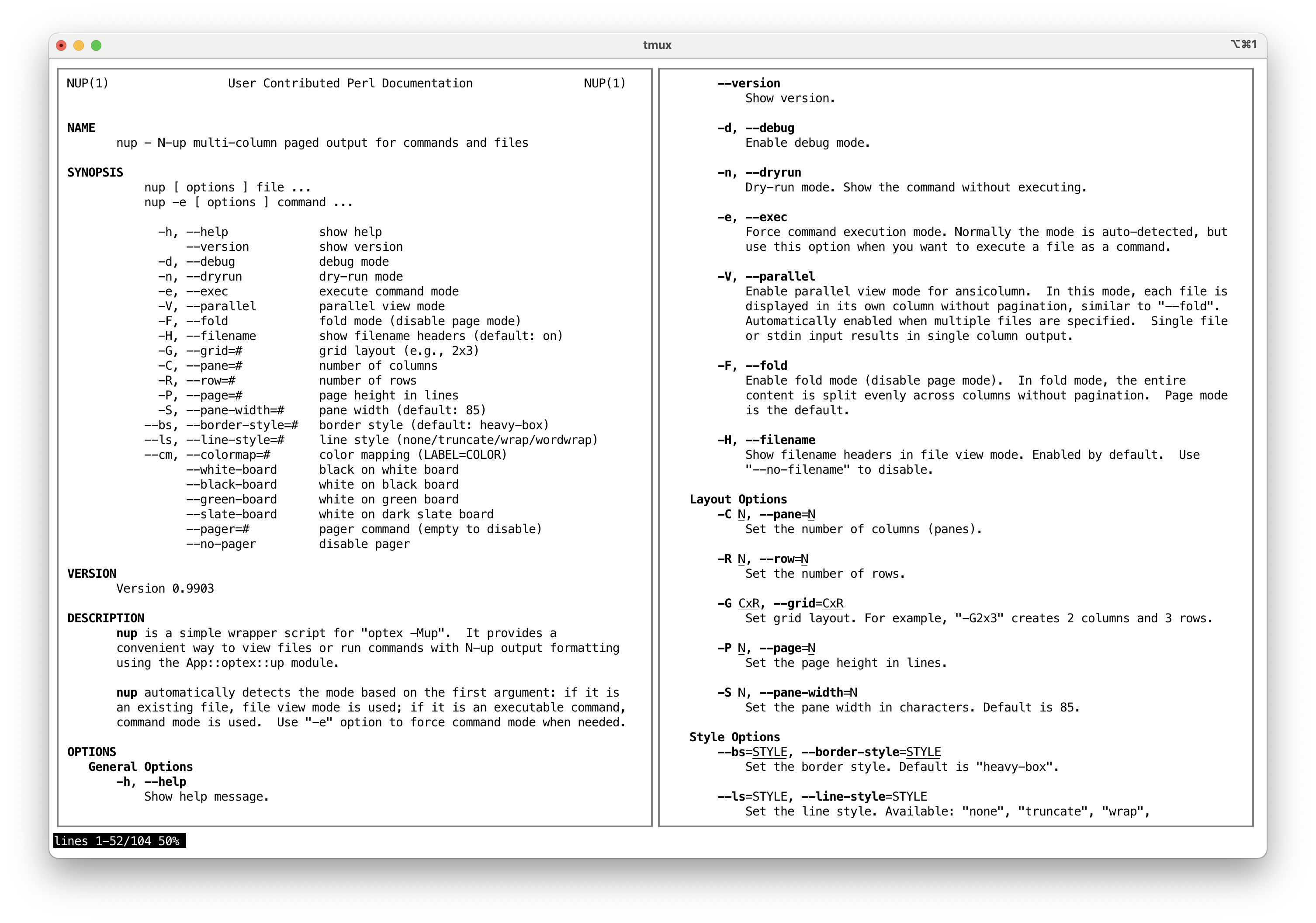
List files in multiple columns with pager:
optex -Mup ls -lUse 2 columns:
optex -Mup -C2 -- ls -lSet pane width to 100:
optex -Mup -S100 -- ls -lUse 2 rows (upper and lower):
optex -Mup -R2 -- ls -lUse 2x2 grid (4-up):
optex -Mup -G2x2 -- ls -lNo pagination:
optex -Mup --no-paginate -- man perlUse a different border style:
optex -Mup --bs=round-box -- ls -lOutput without pager (useful for piping):
optex -Mup --no-pager -C2 -- ls -l | headTruncate long lines:
optex -Mup --ls=truncate -- ps auxINSTALL
CPANMINUS
cpanm App::nupSEE ALSO
App::nup, https://github.com/tecolicom/App-nup
App::optex, https://github.com/kaz-utashiro/optex
AUTHOR
Kazumasa Utashiro
LICENSE
Copyright 2025 Kazumasa Utashiro.
This library is free software; you can redistribute it and/or modify it under the same terms as Perl itself.