NAME
Alien::Xmake - Locate, Download, or Build and Install Xmake
SYNOPSIS
use Alien::Xmake;

my $xmake = Alien::Xmake->new;

print $xmake->version;         # v3.0.6
print $xmake->buildid;         # HEAD.9fdcf69f6

$xmake->show('platforms');     # @platforms = ('windows', 'linux', ...)
$xmake->show('targets', format => 'json');   # decoded JSON structure

$xmake->create('hello', template => 'console');   # scaffold a project
$xmake->configure(mode => 'debug');               # configure a build
$xmake->build;                                    # build it
$xmake->run;                                      # run the target

system $xmake->exe, '--help';
system $xmake->xrepo, qw[info libpng];
DESCRIPTION
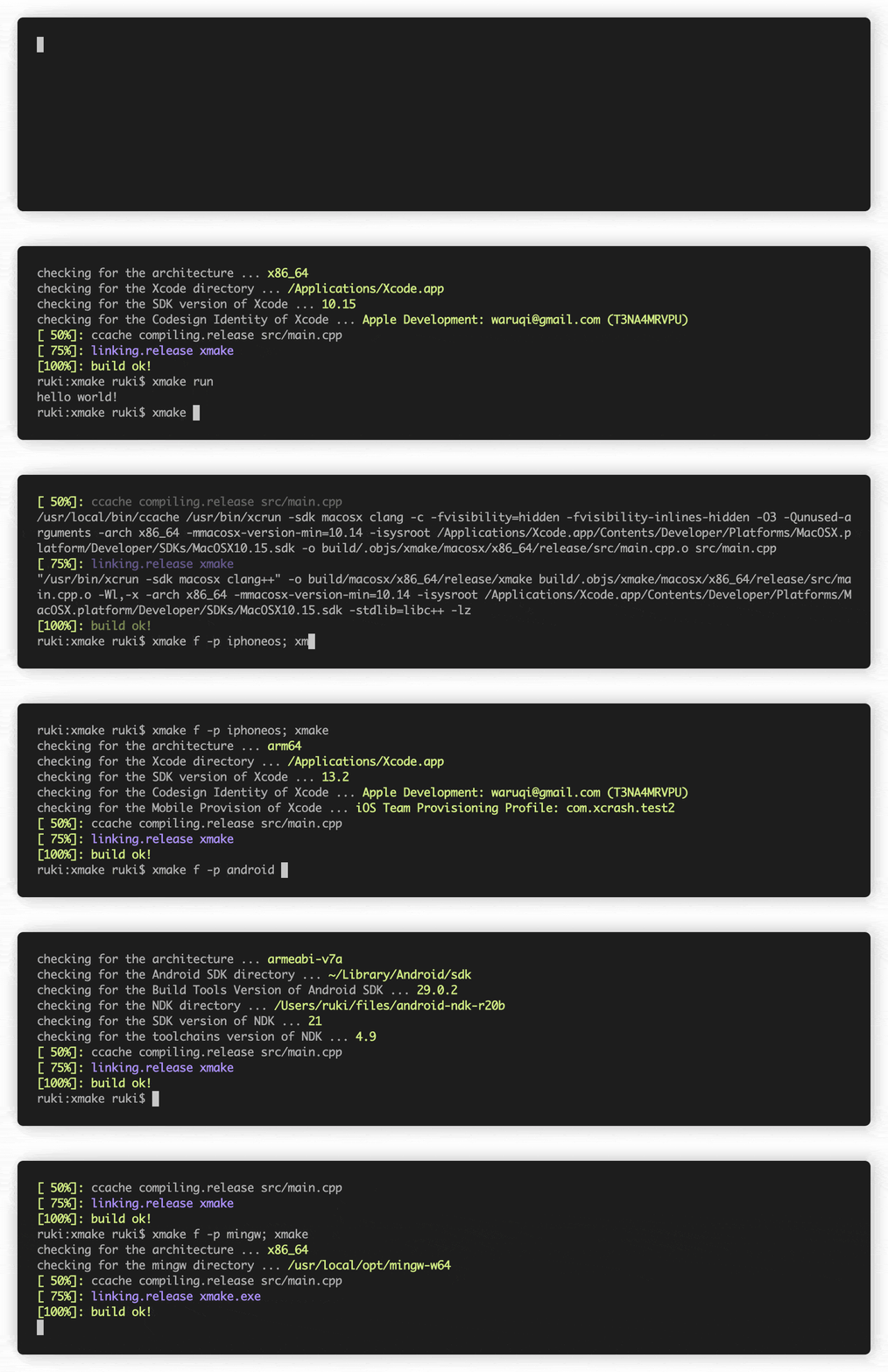
Xmake is a lightweight, cross-platform build utility based on Lua. It uses a Lua script to maintain project builds, but is driven by a dependency-free core program written in C. Compared with Makefiles or CMake, the configuration syntax is (in the opinion of the author) much more concise and intuitive. As such, it's friendly to novices while still maintaining the flexibly required in a build system. With Xmake, you can focus on your project instead of the build.
Xmake can be used to directly build source code (like with Make or Ninja), or it can generate project source files like CMake or Meson. It also has a built-in package management system to help users integrate C/C++ dependencies.
If you want to know more, please refer to the Documentation, GitHub, or Gitee. You are also welcome to join the community.
METHODS
A thin wrapper around the xmake command line. Methods named after xmake actions (build, clean, create, ...) stream the command's output to your terminal and return true on success. Query-style methods (show, lua -l, ...) capture the output and return it to you instead. Most methods accept %options; unrecognized extra arguments can be passed with targets => [...] and args => [...] and are appended to the command line verbatim.
new( ... )
my $xmake = Alien::Xmake->new( verbose => 1 );Creates a new instance.
- verbose
-
Constructor option. Boolean. If true, prints the command being run to
STDOUTbefore executing it. - yes
-
Constructor option. Boolean. Auto-confirms any interactive
xmake/xrepoprompt by passing-y(equivalent toconfirm => 'yes'). Useful when a build is driven programmatically or its output is captured (e.g. Capture::Tiny) so an install that would normally prompt never hangs waiting onSTDIN.confirm => ...takes precedence when both are set. - confirm
-
Constructor option. Supplies an explicit answer (
yes,no, ordef) to any prompt xmake asks, passed through as--confirm=.... Takes precedence overyes => 1. May be terse:Alien::Xmake->new( confirm => 'yes' ).
build( [$target], %options )
$xmake->build;                             # build the default targets
$xmake->build('hello', all => 1);          # also build dependent targets of hello
$xmake->build( rebuild => 1, jobs => 8 );
Compiles the targets defined in xmake.lua.
- rebuild
-
Force a rebuild (
-r). - all
-
Build all dependent targets as well (
-a). - shallow
-
Do not build the dependent targets (
--shallow). - group
-
Only build targets in this group (
-g). - dry_run
-
Only print the command line about to be executed (
--dry-run). - jobs, linkjobs
-
Number of parallel compile/link jobs.
- linkonly
-
Only link (skip compilation) (
--linkonly). - files
-
A comma-joined string or arrayref of files to build manually (
--files=).
clean( [$target], %options )
$xmake->clean;
$xmake->clean( all => 1 );
Removes the build artifacts. all cleans dependent targets, group restricts to a target group.
create( $name, %options )
$xmake->create('hello', template => 'console');
$xmake->create('libz', template => 'shared', language => 'c');
Generates a new project directory named $name (clone of xmake create).
- language
-
Project language (
c,c++,go,rust, ...). - template
-
Project template (
console,static,shared,qt.widgetapp, ...). - force
-
Overwrite an existing directory (
-f). - list
-
List all available templates instead of creating (
--list). - project
-
Alternate project path (
-P).
configure( %options )
$xmake->configure(mode => 'debug', plat => 'windows', arch => 'x64');Configures the current project (clone of xmake config). Accepts the shared platform/toolchain options (plat, arch, mode, kind, toolchain, toolchain_host, cross, target_os, sdk, runtimes, vs, vs_toolset, vs_sdkver, vs_runtime, ndk, ndk_stdcxx, ndk_sdkver, android_sdk, mingw, emsdk, cuda, qt, qt_host, vcpkg, wdk, build_toolver, ccache, ccachedir, debugger, trybuild, tryconfigs, require, includedirs, linkdirs, links, syslinks, rc*, fc*, ...) as well as the compiler/flag subtables cflags, cxflags, cxxflags, mflags, mmflags, mxflags, ldflags, arflags, asflags, shflags, and cuflags. Any --key=value pair can be passed via set => { key => value }.
- clean
-
Reset the configuration to defaults (
-c). - check
-
Only check the configuration and exit (
--check). -
Open the interactive configuration menu (
--menu). - export, import
-
Export/import configuration files.
- builddir
-
Alternate build directory (
-o).
global( %options )
$xmake->global(network => 'y', theme => 'default');
$xmake->global(vs => '2022');
Reads/writes global (user-level) configuration. Shares the platform/toolchain options from configure( ... ) that exist on global (android_sdk, build_toolver, cuda, emsdk, mingw, ndk, ndk_sdkver, qt, qt_host, vcpkg, vs, wdk).
- clean
-
Reset global configuration to defaults (
-c). -
Same semantics as
configure( ... ). - theme, debugger, ccache
-
Global UI/terminal settings.
- cachedir
-
Global cache directory.
- policies
-
Global policy overrides (
--policies=). - network, proxy, proxy_hosts, proxy_pac
-
Network settings, e.g.
network => 'n'to go offline,insecure_ssl => 1to skip HTTPS verification. - pkg_searchdirs, pkg_cachedir, pkg_installdir
-
Global package search/cache/install directories.
install( [$target], %options )
$xmake->install;
$xmake->install('hello', installdir => './dist');
Installs the built binaries to a staging directory (DESTDIR).
- installdir
-
The install directory (
-o);bindir,libdir,includediradjust the per-kind subdirectories. - all
-
Install all targets (
-a). - group
-
Install all targets in the group (
-g). - binaries, headers, libraries, packages
-
Set to
yornto enable or disable installing that kind of file.
uninstall( [$target], %options )
$xmake->uninstall;
$xmake->uninstall('hello');
Uninstalls installed binaries from the install directory. Supports installdir, bindir, libdir, includedir, group and admin.
package( [$target], %options )
$xmake->package;                                      # package release artifacts
$xmake->package('hello', outputdir => './dist');
Packages the built targets into distribution archives/installers. outputdir selects the destination, format the package format (-f, e.g. deb, rpm, nsis), all includes dependent targets, and homepage, description, url, version and shasum fill the package metadata.
pack( [$pkg], %options )
$xmake->pack('libpng', formats => ['zip', 'targz'], jobs => 4);Bundles an installed package from the local package cache into distribution archives. outputdir selects the destination, formats the archive format(s) (zip, targz, ...), basename, autobuild and jobs tune the archive name, rebuild behavior and parallelism.
require( [$pkg], %options )
$xmake->require('libpng');
my $list = $xmake->require( list => 1 );
my $json = $xmake->require( 'libpng', depgraph => 1, format => 'json' );
Installs and manages the packages declared (or requested) for the current project.
- list
-
List the required packages (
-l, captured output). - scan
-
Scan for missing/unused package configs (
--scan, captured). - info
-
Show package information (
--info, captured). - depgraph
-
Show the package dependency graph (
--depgraph, captured; combine withformat => 'json'or'dot'). - force, shallow, jobs, linkjobs, clean
-
Standard package-install controls. clean_modes resets the configs of the matched packages, clean only clears unused packages, build always build from source, and addon manages addon packages.
run( [$target], %options )
$xmake->run;
$xmake->run('hello', args => [qw[--flag value]]);
Runs the build target (or the run script). debug attaches a debugger, all/group select targets, workdir sets the working directory (-w), jobs sets the parallelism and detach runs the target in the background. Extra program arguments go in args.
test( [$target], %options )
$xmake->test;
$xmake->test( 'hello', rebuild => 1 );
Runs the project's tests. group, workdir, jobs and rebuild behave as elsewhere.
update( [$version], %options )
$xmake->update;                           # update xmake itself
$xmake->update('v3.0.6', scriptonly => 1);
Updates the xmake installation. version optionally pins a version. scriptonly only updates the scripts (-s), integrate re-integrates the shell environment, force downloads even when up to date and uninstall flags the previous version for removal.
service( %options )
$xmake->service( start => 1, distcc => 1 );     # run the distcc service
$xmake->service( status => 1 );
Controls the built-in xmake services. One of start, stop, restart, status, connect, disconnect, reconnect, sync, clean; remote, distcc, ccache, add-user, rm-user, gen-token select or modify the service, host and session target a specific server/session, and logs/pull fetch server logs.
addon( [$name], %options )
$xmake->addon('gcc_flags', install => 1);
my $found = $xmake->addon('flags', search => 1);   # captured output
Installs, removes, lists or searches xmake addon packages (install, remove, list, search, upgrade). all applies an operation to every addon and force bypasses checks.
check( [$checker], %options )
my $list = $xmake->check( list => 1 );
$xmake->check('gcc_flags.logic');
Lists available checkers (captured) or runs a named check script. info explains a checker (captured).
doxygen( [$srcdir], %options )
$xmake->doxygen('./src', outputdir => './docs');Generates Doxygen documentation for $srcdir. outputdir selects the documentation directory.
format( [$target], %options )
$xmake->format('hello', style => 'google');
$xmake->format( dry_run => 1, files => ['a.c', 'b.c'] );
Formats the project sources with clang-format. style chooses the style (google, llvm, ...), create writes a default .clang-format, dry_run only reports files that would change (-n), error treats style mismatches as errors (-e), files limits formatting to the given files, and all/group/jobs behave as elsewhere.
lua( [$script], %options )
my @scripts = $xmake->lua( list => 1 );
$xmake->lua('print(\"hello\")');
Runs a xmake Lua script. list lists the built-in scripts (captured), command runs the script argument as a command, deserialize records the output in the given format and stdin reads the script from standard input.
macro( [$name], %options )
$xmake->macro('mybuild', begin => 1);     # begin recording
$xmake->macro('mybuild', end => 1);       # and stop
my $list = $xmake->macro( list => 1 );
Records and replays the shell commands that follow (clone of xmake macro). begin/end control recording, show prints a recorded macro, list lists them (captured), delete/clear remove them and export/import move them between machines.
project( %options )
$xmake->project( kind => 'vsxmake' );
$xmake->project( kind => 'make', targets => ['hello'] );
Generates IDE/third-party project files (vs, vsxmake, make, cmake, compile_commands, ...). kind selects the generator, modes/archs restrict the configs to generate, target generates only for that target and lsp writes LSP-friendly output (compile_flags.txt or compile_commands.json).
repo( [$name], %options )
my $repos = $xmake->repo( list => 1 );
$xmake->repo('local_extra', add => 1, url => 'git@github.com:me/xmake-repo.git');
Manages custom package repositories. add, remove, update, clear and list select the operation (list returns captured output); global restricts the change to the global config; url and branch are used when adding.
show( [$list], %options )
my @platforms = $xmake->show('platforms');
my @targets   = $xmake->show('targets', format => 'json');
my $plain     = $xmake->show('targets', target => 'hello');
Shows information about the current project or the xmake installation.
- $list
-
List name:
platforms,architectures,toolchains,buildmodes,targets,packages,rules,themes,envs,apisorpolicies. When given, the value(s) are returned as a list (whitespace-split; the raw lines if a single value) and ANSI color codes are stripped. - format
-
Output format.
jsonreturns the decoded data structure,dotrenders dependency graphs. Only meaningful withinfo => 'depgraph'or a listing. - target
-
Restrict output to a specific target (
--target=). - info
-
What to show (
depgraph, ...). Combine withformat. - group
-
Filter targets by group.
- json, pretty
-
Legacy flags (
--json) and pretty formatting.
watch( %options )
$xmake->watch( commands => 'xmake build' );
$xmake->watch( script => 'my_script.lua' );
Rebuilds (or runs) the project whenever source files change. commands holds the command to rerun (-c), script the path of the script to watch, watchdirs/plaindirs add extra watched/ignored directories, run reruns the given target and target the target to build. Arbitrary program arguments are passed via argv.
task( $name, %options )
$xmake->task('show', args => ['-l', 'toolchains']);Generic escape hatch that runs any xmake task/plugin by name with %options, streaming output and returning success. Reach for this when a dedicated method doesn't exist yet.
version( )
my $ver = $xmake->version;Returns the xmake version (e.g. v3.0.6).
buildid( )
my $build = $xmake->buildid;Returns the xmake build stamp (e.g. HEAD.9fdcf69f6), if any.
config( )
my %conf  = %{ $xmake->config };
my $bin   = $xmake->config('bin');
Returns the install-time data stored by Alien::Xmake::ConfigData: the install type, install directory, and version. The details of the Alien::Xmake::ConfigData object created at install time describe the exact contents.
pkg_config( $package )
my $flags = $xmake->pkg_config('zlib');
# { cflags => '-I...', libs => '-L... -lz' }
Installs $package with xrepo install -y, then returns its compile/link flags via xrepo fetch.
install_type( )
Returns 'system' or 'shared'.
exe( )
system $xmake->exe;Returns the full path to the Xmake executable.
xrepo( )
system $xmake->xrepo;Returns the full path to the xrepo executable.
bin_dir( )
use Env qw[@PATH];
unshift @PATH, $xmake->bin_dir;
Returns the directory containing the Xmake executable; push it onto your PATH. For a 'system' install this step will not be required.
cflags( ), libs( ), dynamic_libs( )
Stubs returning empty values. Provided for compatibility with consumers that expect the standard Alien API surface; use pkg_config( ) or Alien::Xrepo for real flags.
alien_helper( )
use alienfile;
# ...
    [ '%{xmake}', 'install' ],
Returns a hashref of helpers: %{xmake} and %{xrepo}, suitable for use in alienfile recipes.
Alien::Base Helper
To use Xmake in your alienfiles, require this module and use %{xmake} and %{xrepo}.
use alienfile;
# ...
    [ '%{xmake}', 'install' ],
    [ '%{xrepo}', 'install ...' ]
# ...
Xmake Cookbook
Xmake is severely underrated so I'll add more nifty things here but for now just a quick example.
You're free to create your own projects, of course, but Xmake comes with the ability to generate an entire project for you:
$ xmake create -P hi    # generates a basic console project in C++ and xmake.lua build script
$ cd hi
$ xmake -y              # builds the project if required, installing defined prerequisite libs, etc.
$ xmake run             # runs the target binary which prints 'hello, world!'
xmake create is a lot like minil new in that it generates a new project for you that's ready to build even before you change anything. It even tosses a .gitignore file in. You can generate projects in C++, Go, Objective C, Rust, Swift, D, Zig, Vale, Pascal, Nim, Fortran, and more. You can also generate boilerplate projects for simple console apps, static and shared libraries, macOS bundles, GUI apps based on Qt or wxWidgets, IOS apps, and more.
See xmake create --help for a full list.
The following examples drive xmake from Perl. These all call the wrapper methods (see "METHODS"), so output is streamed to your terminal and each returns truthy on success.
Scaffold, configure, build, test and run a target
The whole edit-run-debug lifecycle. create scaffolds a fresh project (template picks the base), configure sets the build mode, then build/test/run compile, run the tests (if any) and launch the binary:
use v5.40;
use Alien::Xmake;

my $x = Alien::Xmake->new;
$x->create('demo', template => 'console');   # writes xmake.lua + src/main.cpp

chdir 'demo';
$x->configure(mode => 'release');            # configure the build
$x->build;                                   # compile it
$x->test;                                    # run target tests (none for a console template)
$x->run;                                     # execute the binary
Generate files for another build system or IDE
project reads your xmake.lua and emits other build systems' project files, so you never maintain a second build config by hand. kind selects the generator and lsp asks for IDE-friendly compile data:
use v5.40;
use Alien::Xmake;

my $x = Alien::Xmake->new;
$x->project(kind => 'make');                 # a Makefile
$x->project(kind => 'compile_commands', lsp => 1);   # compile_commands.json for clangd/IDEs
Ask xmake what it can target
show introspects the xmake install and the current project. Hand it a list name and (optionally) format => 'json' to get the parsed result; the "METHODS" list names are platforms, architectures, toolchains, buildmodes, targets, packages, rules, themes, envs, apis and policies. config reflects the metadata of this Alien::Xmake install itself (set up at construction; see new under "METHODS"):
use v5.40;
use Alien::Xmake;

my $x = Alien::Xmake->new;

say for $x->show('platforms');                     # windows, linux, macosx, android, ...
say for $x->show('architectures');

my @targets = $x->show('targets', format => 'json');   # inside a project dir
say $targets[0]->{name};

say 'installed: ' . $x->config('install_type');        # share | system
say 'version  : ' . $x->config('version');
Lint the project from Perl
check runs xmake's analysis checkers - syntax validates the source compiles without linking and clang.tidy drives clang-tidy. It is a linter, not a compiler probe; 'c' and 'cxx' are not checkers. list => 1 returns the available checker names:
use v5.40;
use Alien::Xmake;

my $x = Alien::Xmake->new;
my @checkers = $x->check('', list => 1);       # api.*, clang.tidy, cuda.devlink, syntax ...
$x->check('syntax');                           # "syntax check ok" if the sources parse
Fetch pkg-config style flags for a dependency
pkg_config installs a package via xrepo (when missing) and returns its compile/link flags as a hashref. On MSVC the library flag is given as -libpath:... rather than -L...:
use v5.40;
use Alien::Xmake;

my $x    = Alien::Xmake->new;
my $zlib = $x->pkg_config('zlib');             # installs zlib on first call
say $zlib->{cflags};                           # -IC:\...\zlib\...\include
say $zlib->{libs};                             # -libpath:C:\...\lib zlib.lib
Use the bundled xrepo from the same handle
The dist ships xrepo alongside xmake; xrepo returns its path so you can mix xmake project work with xrepo package operations in one script:
use v5.40;
use Alien::Xmake;

my $x = Alien::Xmake->new;
system $x->xrepo, qw[search zlib];             # find a package
system $x->xrepo, qw[info libpng];             # package details
Prerequisites
Windows simply downloads an installer but elsewhere, you gotta have make and a C compiler installed to build and install Xmake. You do not need to (Alien::Xmake will install a local version) but, if you'd like Alien::Xmake to use a pre-built or system install of Xmake, install it yourself first with one of the following:
- Built from source
-
$ curl -fsSL https://xmake.io/shget.text | bash...or on Windows with Powershell...
> Invoke-Expression (Invoke-Webrequest 'https://xmake.io/psget.text' -UseBasicParsing).Content...or if you want to do it all by hand, try...
$ git clone --recursive https://github.com/xmake-io/xmake.git
# Xmake maintains dependencies via git submodule so --recursive is required
$ cd ./xmake
# On macOS, you may need to run: export SDKROOT=$(xcrun --sdk macosx --show-sdk-path)
$ ./configure
$ make
$ ./scripts/get.sh __local__ __install_only__
$ source ~/.xmake/profile
...or building from source on Windows...
> git clone --recursive https://github.com/xmake-io/xmake.git > cd ./xmake/core > xmake - Windows
-
The easiest way might be to use the installer but you still have options.
- Installer
-
Download a 32- or 64-bit installer from https://github.com/xmake-io/xmake/releases and run it.
- Via scoop
-
$ scoop install xmakeSee https://scoop.sh/
- Via the Windows Package Manager
-
$ winget install xmakeSee https://learn.microsoft.com/en-us/windows/package-manager/
- Msys/Mingw
-
$ pacman -Sy mingw-w64-x86_64-xmake # 64-bit

$ pacman -Sy mingw-w64-i686-xmake   # 32-bit
- MacOS with Homebrew
-
$ brew install xmakeSee https://brew.sh/
- Arch
-
# sudo pacman -Sy xmake - Debian
-
# sudo add-apt-repository ppa:xmake-io/xmake # sudo apt update # sudo apt install xmake - Fedora/RHEL/OpenSUSE/CentOS
-
# sudo dnf copr enable waruqi/xmake # sudo dnf install xmake - Gentoo
-
# sudo emerge -a --autounmask dev-util/xmakeYou'll need to add GURU to your system repository first.
- FreeBSD
-
Build from source using gmake instead of make or try this:
$ pkg install xmake-io - Android (Termux)
-
$ pkg install xmake
I strongly suggest you don't do any of that and let Alien::Xmake deal with it.
See Also
Demos for both xmake and xrepo in eg/.
LICENSE
Copyright (C) Sanko Robinson.
This library is free software; you can redistribute it and/or modify it under the terms found in the Artistic License 2. Other copyrights, terms, and conditions may apply to data transmitted through this module.
AUTHOR
Sanko Robinson https://github.com/sanko