

NAME
pingu - optex make-everything-pingu filter
SYNOPSIS
optex -Mpingu --pingu command
DESCRIPTION
This optex module is greatly inspired by pingu(1) command and make every command pingu not only ping(1). As for original command, see "SEE ALSO" section. All honor for this idea should go to the original author.
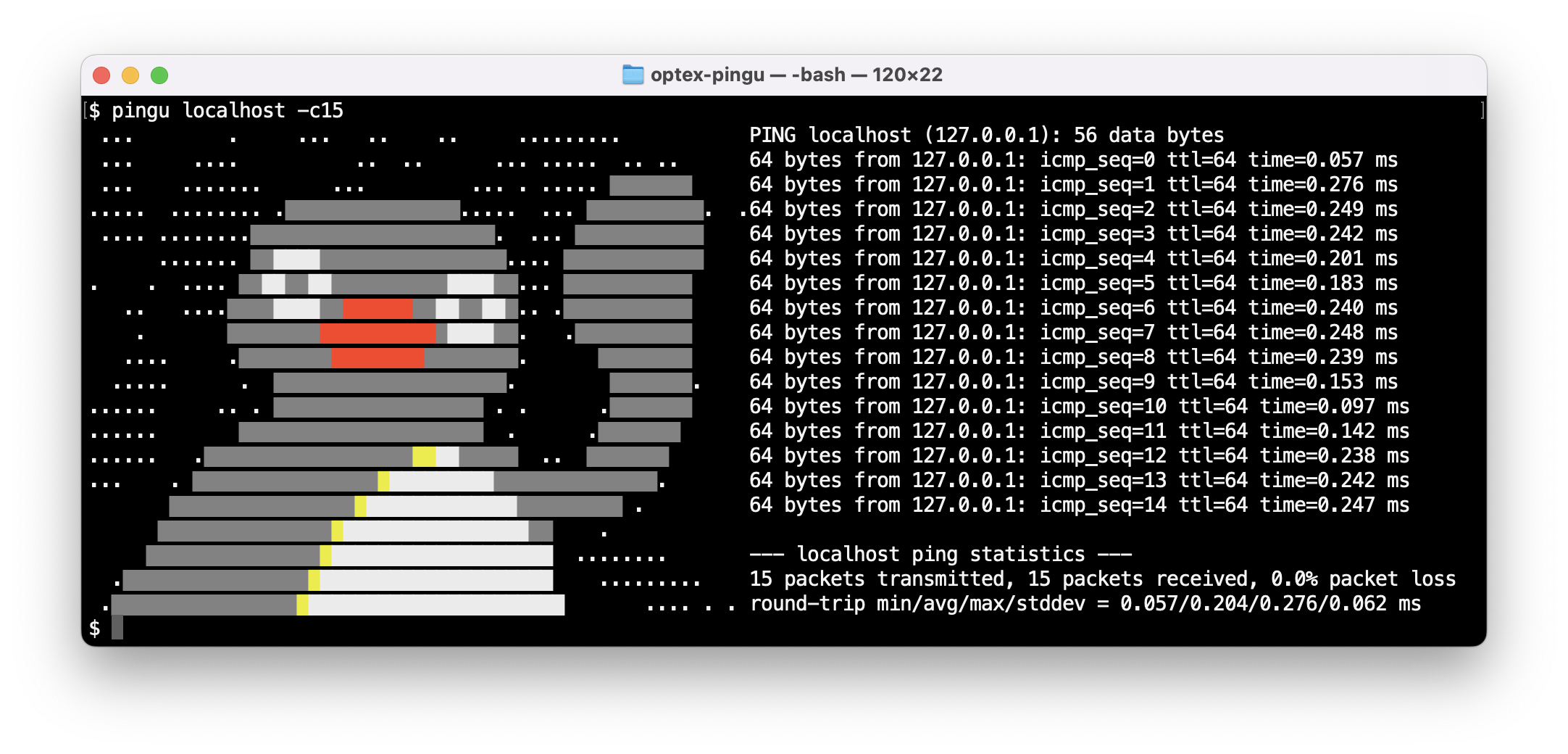
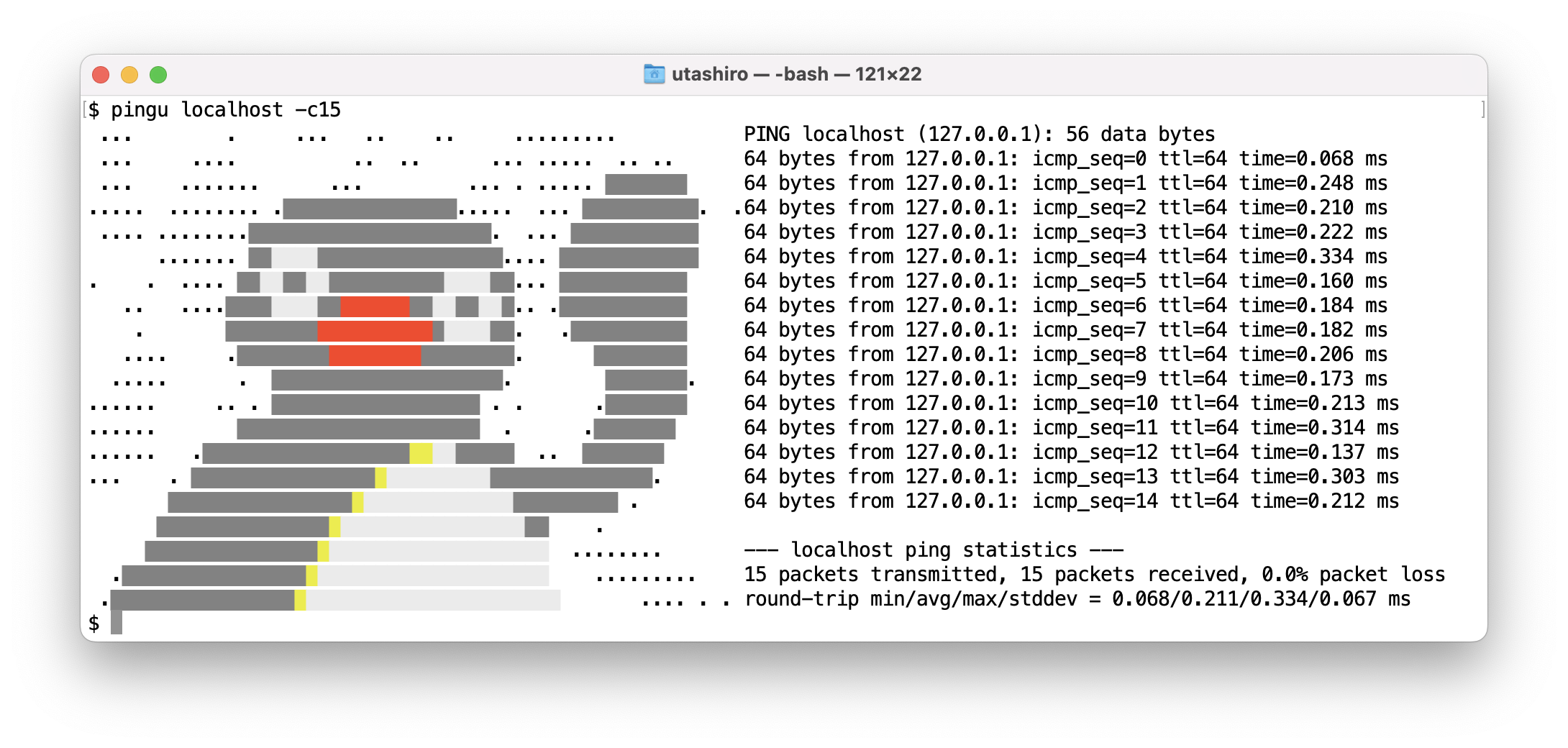
This module is a quite good example to demonstrate optex(1) command features.
OPTION
-
--pingu
Make command pingu.
-
--pingu-image=file
Set image file. File is searched at current directory and module directory. Standard pingu image is stored as pingu.asc. If string
pinguis specified, module search the file in the following order../pingu ./pingu.asc module-dir/pingu module-dir/pingu.asc -
--pingu-char
Specify replacement character. Default is Unicode
FULL BLOCK(U+2588: █). -
--pingu-interval=sec
Set interval time between printing each lines. Default is zero.
IMAGE FILE FORMAT
-
ASCII
Each [
RGBCMYWKrgbcmywk] character is converted to specified letter with color which the character itself describe. Upper-case character represent normal ANSI color and lower-case means high-intensity color.R r Red G g Green B b Blue C c Cyan M m Magenta Y y Yellow K k Black W w WhiteLine start with
#is treated as a comment.Default pingu image:
   ...        .     ...   ..    ..     .........
   ...     ....          ..  ..      ... .....  .. ..
   ...    .......      ...         ... . ..... kkkkkkk
  .....  ........ .kkkkkkkkkkkkkkk.....  ... kkkkkkkkkk.  .
   .... ........kkkkkkkkkkkkkkkkkkkkk.  ... kkkkkkkkkkk
        ....... kkwwwwkkkkkkkkkkkkkkkk.... kkkkkkkkkkkk
  .    .  .... kkwwkkwwkkkkkkkkkkwwwwkk... kkkkkkkkkkk
     ..   ....kkkkwwwwkkrrrrrrkkwwkkwwk.. .kkkkkkkkkkk
      .       kkkkkkkkrrrrrrrrrrkwwwwkk.   .kkkkkkkkkk
     ....     .kkkkkkkkrrrrrrrrkkkkkkkk.      kkkkkkkk
    .....      .  kkkkkkkkkkkkkkkkkkkk.        kkkkkkk.
  ......     .. . kkkkkkkkkkkkkkkkkk . .      .kkkkkkk
  ......       kkkkkkkkkkkkkkkkkkkkk  .      .kkkkkkk
  ......   .kkkkkkkkkkkkkkkkkkyywwkkkkk  ..  kkkkkkk
  ...    . kkkkkkkkkkkkkkkkywwwwwwwwwkkkkkkkkkkkkkk.
         kkkkkkkkkkkkkkkkywwwwwwwwwwwwwkkkkkkkkk .
        kkkkkkkkkkkkkkkywwwwwwwwwwwwwwwwkk    .
       kkkkkkkkkkkkkkkywwwwwwwwwwwwwwwwwww  ........
    .kkkkkkkkkkkkkkkkywwwwwwwwwwwwwwwwwwww    .........
   .kkkkkkkkkkkkkkkkywwwwwwwwwwwwwwwwwwwwww       .... . .
Other file format is not supported yet.
Coloring is done by Getopt::EX::Colormap module. See its document for detail.
INSTALL
Use cpanminus(1) command:
cpanm App::optex::pingu
PINGU ALIAS
You can set shell alias pingu to call ping(1) command through optex.
alias pingu='optex -Mpingu --pingu ping'
However, there is more sophisticated way to use optex alias
function. Next command will make symbolic link pingu->optex in
~/.optex.d/bin directory:
$ optex --ln pingu
Executing this symbolic link, optex will call system installed
pingu command. So make an alias in ~/.optex.d/config.toml to
call ping(1) command instead:
[alias]
    pingu = "ping -Mpingu --pingu"
MAKING NEW PING OPTION
You can add, say, --with-pingu option to the original ping(1)
command. Make a symbolic link ping->optex in ~/.optex.d/bin
directory:
$ optex --ln ping
And create an rc file ~/.optex.d/ping.rc for ping:
option --with-pingu -Mpingu --pingu
Then pingu will show up when you use --with-pingu option to execute ping(1) command:
$ ping --with-pingu localhost -c15
If you want to enable this option always (really?), put next line in
your ~/.optex.d/ping.rc:
option default --with-pingu
SEE ALSO
https://github.com/sheepla/pingu
App::optex, https://github.com/kaz-utashiro/optex/
App::optex::pingu, https://github.com/kaz-utashiro/optex-pingu/
AUTHOR
Kazumasa Utashiro
LICENSE
Copyright 2022 Kazumasa Utashiro.
You can redistribute it and/or modify it under the same terms as Perl itself.