NAME
up - optex module for multi-column paged output
SYNOPSIS
optex -Mup command ...

optex -Mup -C2 -- command ...

optex -Mup -G2x2 -- command ...
DESCRIPTION
up is a module for the optex command that pipes the output through App::ansicolumn for multi-column formatting and a pager. The name comes from the printing term "n-up" (2-up, 3-up, etc.) which refers to printing multiple pages on a single sheet.
The module automatically calculates the number of columns based on the terminal width divided by the pane width (default 85 characters).
The pager command is taken from the $PAGER environment variable if
set, otherwise defaults to less. When using less, -F +Gg
options are automatically appended. -F causes less to exit
immediately if the output fits on one screen. +Gg causes less
to read all input before displaying, which may take time for large
output, but prevents empty trailing pages from being shown.
OPTIONS
Module options must be specified before -- separator.
-
--grid=CxR, -G CxR
Set the grid layout. For example,
--grid=2x3or--grid=2,3creates a 2-column, 3-row layout (6-up). This is equivalent to-C2 -R3. -
--pane=N, -C N
Set the number of columns (panes) directly.
-
--row=N, -R N
Set the number of rows. The page height is calculated by dividing the terminal height by this value.
-
--height=N
Set the page height directly in lines.
-
--pane-width=N, -S N
Set the pane width in characters. Default is 85. When --pane is not specified, the number of panes is calculated by dividing the terminal width by this value.
-
--border-style=STYLE, --bs=STYLE
Set the border style for ansicolumn. Default is
heavy-box. See App::ansicolumn for available styles. -
--line-style=STYLE, --ls=STYLE
Set the line style for ansicolumn. Available styles are
none,truncate,wrap, andwordwrap. Default iswrap(inherited from ansicolumn's document mode). -
--fold, -F
Enable fold mode (disable page mode). In fold mode, the entire content is split evenly across columns without pagination. Page mode is the default.
-
--pager=COMMAND
Set the pager command. Default is
$PAGERorless. -
--no-pager
Disable pager. Output goes directly to stdout.
EXAMPLES
Display perldoc output in multiple columns:
optex -Mup perldoc App::optex::up
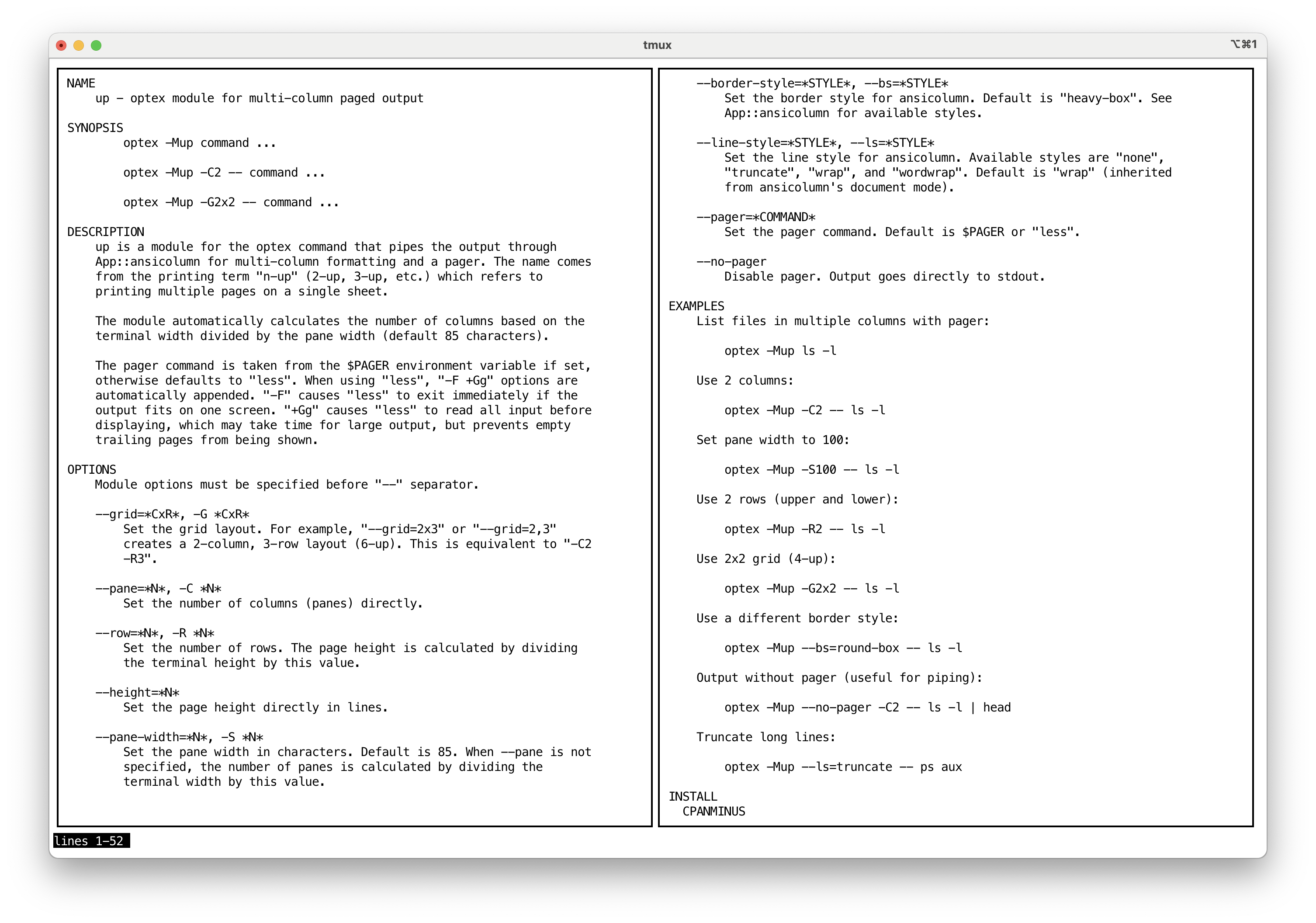
List files in multiple columns with pager:
optex -Mup ls -l
Use 2 columns:
optex -Mup -C2 -- ls -l
Set pane width to 100:
optex -Mup -S100 -- ls -l
Use 2 rows (upper and lower):
optex -Mup -R2 -- ls -l
Use 2x2 grid (4-up):
optex -Mup -G2x2 -- ls -l
Fold mode (no pagination):
optex -Mup -F -- man perl
Use a different border style:
optex -Mup --bs=round-box -- ls -l
Output without pager (useful for piping):
optex -Mup --no-pager -C2 -- ls -l | head
Truncate long lines:
optex -Mup --ls=truncate -- ps aux
INSTALL
CPANMINUS
cpanm App::optex::up
SEE ALSO
App::optex, https://github.com/kaz-utashiro/optex
App::optex::up, https://github.com/kaz-utashiro/optex-up
AUTHOR
Kazumasa Utashiro
LICENSE
Copyright 2025 Kazumasa Utashiro.
This library is free software; you can redistribute it and/or modify it under the same terms as Perl itself.